Safari is one of the apps that Apple focused on in iOS 27, and it includes multiple new Apple Intelligence features. From automatically organizing tab groups to custom extensions, Safari is getting useful new capabilities.
Automatic Tab Organization
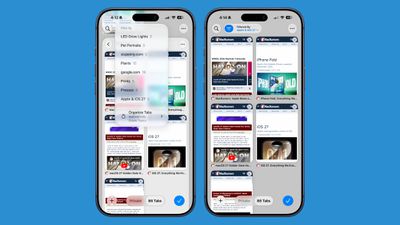
Safari uses Apple Intelligence to organize your open tabs into relevant topics, grouping like concepts together to make it easier to browse your open tabs.
If you're searching for a new couch while also planning a weekend trip, websites that you open for each topic are grouped together. Automatic sorting can be enabled by tapping on the icon with three lines in the upper right of the display while in tab view and turning on the Automatically Create Topics setting.
This same Safari menu also lets you see all of the groups and filter by topic so you can open just the tabs related to a specific topic while avoiding the other tabs.
There is a new "Resume Browsing" section of the Start Page that lets you continue browsing topics you recently closed or topics you have open on other devices.
You can also group pages you've saved to Bookmarks and Reading List by topic.
Custom Extensions
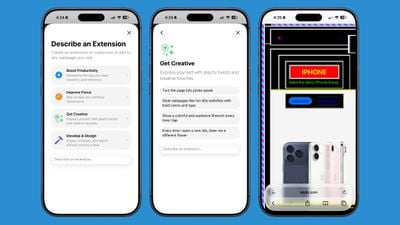
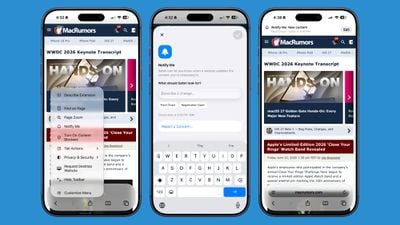
You can use AI to create Safari Extensions in iOS 27 with Apple's new Create an Extension option.
In the Safari settings accessible from the left of the URL bar, tapping into Create an Extension brings you to an interface where you can type in whatever you want an extension to do. Apple also includes suggestions in categories that include Boost Productivity, Improve Focus, Get Creative, and Develop and Design. Some of Apple's extension suggestions:
Create a citation for the current webpage and copy it to my clipboard
Create a 3-minute focus timer for the page
Set the minimum font size to 14pt
Turn the page into pirate speak
Style websites like 90s websites with bold colors and type
Every time I open a new tab, draw me a different flower
Highlight and show the dimensions of webpage elements when I tap on them
Enter the design mode for a website so that I can edit the contents
Notify Me
Safari can monitor a website for changes and alert you when new information is detected. Apple says it's useful for monitoring when concert tickets go on sale or watching for a product to be restocked.
To use it, navigate to a website, then tap on the settings icon to the left of the URL bar, and choose the Notify Me option. You can type in what you want Safari to watch for and set a frequency and a time.
At most, Safari will check websites once per day at a set time, with weekly and monthly checks also available.
Passwords
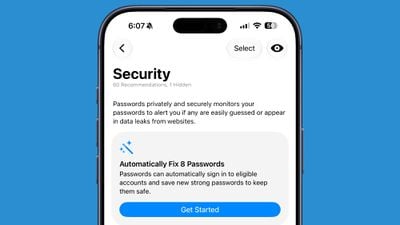
The Passwords app can use Safari to automatically change flagged weak and compromised passwords, turning them into strong passwords.
The feature uses Apple Intelligence to automatically navigate to eligible websites, sign in, and update your password with a tap.
Ask to Browse
Apple added new parental controls in iOS 27, including an "Ask to Browse" feature that requires children to get parental approval before visiting a new website.
Performance Improvements
Apple says Safari's power efficiency has improved, so it will drain less battery. Web apps and start page content load faster, JavaScript handling is faster, and animations and graphics are smoother.
Compatibility
Safari features like automatic tab grouping, custom extensions, and custom notifications require Apple Intelligence. Apple Intelligence is available on the iPhone 15 Pro and later.
Availability
iOS 27 is available to both developers and public beta testers, so you can try it now. The update will launch in the fall alongside new iPhone models.
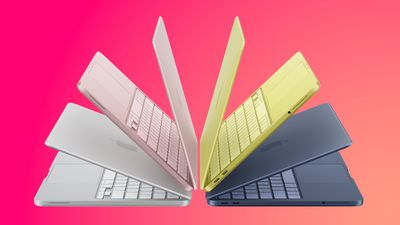
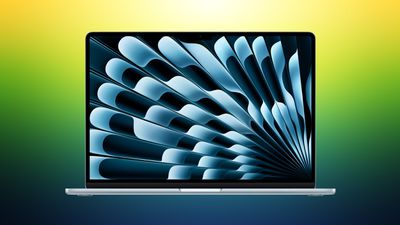
Amazon is taking up to $150 off multiple models of the M5 MacBook Air, focused mainly on 13-inch models this time around. These are solid second-best prices on the M5 MacBook Air in the wake of Apple's summertime price hikes.
Note: MacRumors is an affiliate partner with Amazon. When you click a link and make a purchase, we may receive a small payment, which helps us keep the site running.
In terms of 13-inch models, Amazon has the 16GB/1TB 13-inch MacBook Air for $1,499.00, down from $1,599.00. This one is available in two colors on Amazon, and it's accompanied by the 24GB/1TB model for $150 off.
If you're on the hunt for more discounts, be sure to visit our Apple Deals roundup where we recap the best Apple-related bargains of the past week.
Deals Newsletter
Interested in hearing more about the best deals you can find in 2026? Sign up for our Deals Newsletter and we'll keep you updated so you don't miss the biggest deals of the season!
It is now late August, meaning that Apple's annual iPhone event is just around the corner. Below, we take a look at when the event might be held this year.
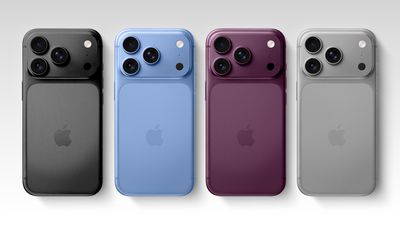
This September, Apple is expected to unveil the iPhone 18 Pro, iPhone 18 Pro Max, and an all-new foldable iPhone that will reportedly be named the iPhone Ultra. The regular iPhone 18, a lower-end iPhone 18e, and the iPhone Air 2 are not expected to be announced until around March 2027, as part of a new launch strategy.
Australian media outlet ChannelNews recently published an "exclusive" report claiming that the iPhone 18 Pro and iPhone Ultra event will take place on Tuesday, September 8. However, this date is questionable, as Apple has never held its iPhone event one day after Labor Day. Historically, there has always been at least a two-day gap between the holiday and the event, so it is more likely to fall on Wednesday, September 9 or later this year.
In his Power On newsletter yesterday, Bloomberg's Mark Gurman said the event will indeed take place "on or around" Wednesday, September 9 this year.
If the event were to fall on Tuesday, September 8 or Wednesday, September 9 this year, pre-orders would ordinarily begin on Friday, September 11. However, that Friday will mark the 25th anniversary of the 9/11 attacks, so Apple may want to avoid starting pre-orders that day out of respect. Perhaps for the same reason, iPhone 6s and iPhone 6s Plus pre-orders began on Saturday, September 12 instead of Friday, September 11 in 2015.
It would be a lot smoother for Apple to skip the week of Labor Day and the 9/11 anniversary entirely and hold its iPhone 18 Pro and iPhone Ultra event the following week instead. This would also allow for an extra week of production for the first-of-its-kind iPhone Ultra. Bloomberg's Mark Gurman reported that the event will take place in the first half of September, which would make Tuesday, September 15 the latest possible date.
If the event falls on Monday, September 14 or Tuesday, September 15, then pre-orders would likely begin on Friday, September 18, and the devices would likely launch Friday, September 25. It remains to be seen if the iPhone Ultra is available at the same time as the iPhone 18 Pro models, but it might be limited to the U.S. at first either way.
Since 2020, iPhone event videos have been pre-recorded, but in recent years Apple has invited select reporters to the Steve Jobs Theater to watch the video in person. Afterwards, attendees receive hands-on time with the new devices.
The table below provides an overview of dates for the last six iPhone events, with 2020 being an outlier due to the COVID-19 pandemic.
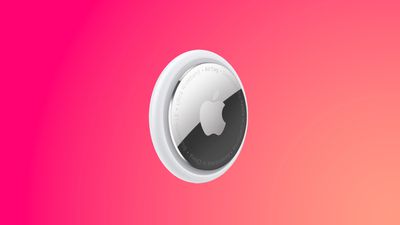
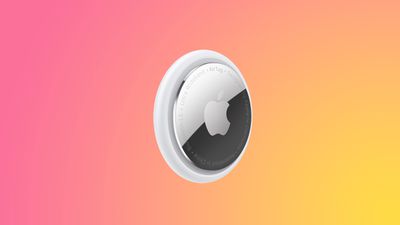
Apple's AirTag 2 is on sale for $79.99 this week on Amazon, down from $99.00. This deal is on the 4-Pack of the AirTag 2, and it's a new record low price for the accessory, beating the previous low by about $9.
Note: MacRumors is an affiliate partner with Amazon. When you click a link and make a purchase, we may receive a small payment, which helps us keep the site running.
We're also tracking a smaller deal on the AirTag 2 1-Pack, available for $24.00, down from $29.00. This is another record low price on the AirTag 2, and both have estimated delivery dates of August 28.
The new AirTag is equipped with a second-generation Ultra Wideband chip, enabling the Precision Finding feature to work up to 50% farther away from an item compared to the previous-generation model.
If you're on the hunt for more discounts, be sure to visit our Apple Deals roundup where we recap the best Apple-related bargains of the past week.
Update: When we originally posted this article, the price of the AirTag 2 4-Pack was $85.00, and Amazon has since sweetened this deal to the new all-time low price of $79.99.
Deals Newsletter
Interested in hearing more about the best deals you can find in 2026? Sign up for our Deals Newsletter and we'll keep you updated so you don't miss the biggest deals of the season!
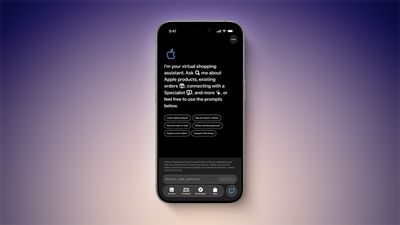
In the Apple Store app on the iPhone, select users have received access to an "early preview" of a new AI-powered virtual shopping assistant.
Once it is available, you can open the chatbot by tapping on the speech bubble with two sparkles in the bottom-right corner of the app. Then, you can ask questions about Apple products, your existing Apple Store orders, trade-in values, payment options, and more, or simply tap on one of the common topics on the page to begin.
MacRumors was first to report that the Apple Store app would be getting an AI shopping assistant, based on a new privacy policy added to Apple's website. The policy states that Apple uses your personal information to personalize the chat experience, provide relevant responses, and if you opt in, to improve the assistant.
Apple has yet to officially announce this feature, so it seems to be quietly testing it with a smaller number of users for now. Many of our staff members do not have access to the chatbot, so if you do not see it yet, know you are not alone.
Apple's 20th-anniversary iPhone will be made using the same glass manufacturing process developed for the iPhone Air, according to the leaker known as "Fixed Focus Digital."
In a new post on Weibo, the leaker said that iPhone Air manufacturing equipment has been modified to produce more rounded glass components for next year's 20th anniversary iPhone, which has helped to reduce Apple's manufacturing costs. The leaker added that overall heat dissipation and thinness have both improved substantially as a result of the changes.
The claim builds on the leaker's earlier report that a supply chain facility had finished renovations ahead of "iPhone 20" production, with manufacturing quality expected to land somewhere around that of the first-generation iPhone Air. The iPhone Air is Apple's thinnest iPhone to date at 5.6mm and uses a polished titanium frame with a glass back.
The report adds incremental detail to a redesign that has been rumored for well over a year. Bloomberg's Mark Gurman reported that Apple is aiming for a "mostly glass, curved iPhone without any cutouts in the display" to mark the iPhone's 20th anniversary, with curved glass wrapping around all sides of the device.
The 20th-anniversary iPhone models are expected to launch in the fall of 2027, following the iPhone 18, iPhone 18e, and iPhone Air 2 in the spring.
15 years ago today, Tim Cook was appointed Apple CEO following Steve Jobs' resignation on August 24, 2011. On September 1, Cook will step down and incoming CEO John Ternus will take over, ahead of Apple announcing new iPhone 18 Pro models and its first foldable iPhone.
Ternus joined Apple as part of its product design team in 2001. He became VP of hardware engineering in 2013 and senior VP in 2021, and has overseen AirPods, Mac, iPad, and iPhone development in that time. Cook will remain at Apple as executive chairman, where he will engage with policymakers and help Apple navigate regulatory pressure.
Apple is preparing to raise iPhone prices following similar moves from Samsung and Google, according to Bloomberg's Mark Gurman.
Apple raised prices on almost every major product category two months ago, with affected Macs and iPads rising about 23% on average. In the latest edition of his "Power On" newsletter, Gurman said that the iPhone faces the same memory and chip supply chain issues affecting Apple's other products, so a price increase "remains inevitable."
Apple has apparently been closely observing how Samsung and Google respond to higher component costs. Both companies raised prices on their latest smartphones by about $100. Matching that increase would put the iPhone 18 Pro's starting price at $1,199, up about 9% from the current iPhone 17 Pro's $1,099 starting price.
Given the severity of the memory crunch, Gurman says that is a "fairly modest bump," suggesting Apple is absorbing some of the added costs itself. The company has already warned of pressure on gross margins this quarter, which is a sign it is not passing on all of its growing expenses to customers.
Apple still has good reason not to push too far. A $100 increase would keep the iPhone broadly in Samsung's pricing territory and avoid the "sticker shock" of the steeper hikes imposed on the Mac and iPad. Nevertheless, Gurman says that Apple has room to go higher, since the Mac and iPad price increases were far larger and the iPhone has a loyal customer base to draw on. The new Apple Upgrade subscription program could also soften the blow by allowing buyers to spread the higher cost across monthly payments rather than paying the full price upfront.
When Apple pushed out the release candidate for macOS Tahoe 26.7 last week, it contained references to a raft of unannounced products, from home devices to iPhones, iPads, AirPods, and Macs. It's not the first time we've seen this kind of thing, but the sheer amount of references – including a video showing off AirPods with cameras – is a bit unusual.
Code references to unreleased products turn up in early Apple betas quite regularly, but macOS Tahoe 26.7 was a Release Candidate, which means that – barring something unexpected – it's the final version of the software, just provided to developers a few days early for testing. In other words, it isn't meant to include anything Apple hasn't already rubber-stamped as good to go. So what happened?
In his latest Power On newsletter, Bloomberg's Mark Gurman has offered what he believes to be the most likely explanation.
When Apple prepares an update, it doesn't assemble the software release from a single line of work. Instead, it merges separate development branches of code, including bug fixes, assets, and features, into the branch that ships to users. It also maintains internal builds containing software suppport for hardware that it hasn't announced yet so that it can be written and tested well ahead of a potential launch.
According to Gurman, one of those internal builds most likely got inadvertently merged into the branch destined for release. As a result, "something that was supposed to remain inside Apple got tangled up with the shipping software – and made it all the way to the release candidate," he writes. It suggests someone inside Apple got confused as to which versions they were merging. Or was it AI that made the mistake? We'll likely never know. Either way, expect all the references to be stripped out of the public release.
With one exception – the AirPods with cameras – all of the product references in macOS Tahoe 26.7 RC had appeared in previous software, but they still go to show that Apple continues to work on several rumored products. Meanwhile, the camera-equipped AirPods aren't expected until 2027, and the hardware shown in the video is believed to be a version that Apple has already shelved in favor of a newer model.
Bloomberg's Mark Gurman reports that Apple is reorganizing parts of its brick-and-mortar stores this fall to make room for new home products.
Writing in his latest Power On newsletter, Gurman says the teams responsible for store layouts are preparing changes to the "Avenues," or the perimeter walls in Apple's newer stores, where accessories like HomePod, Apple TV, AirPods, and Beats are displayed alongside third-party accessories.
The work is said to involve rearranging sections of the Avenues and adding accessory bays for upcoming new devices.
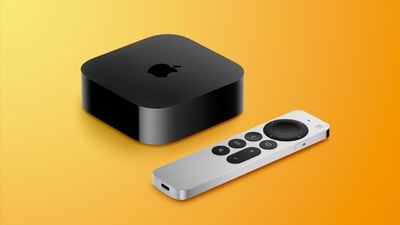
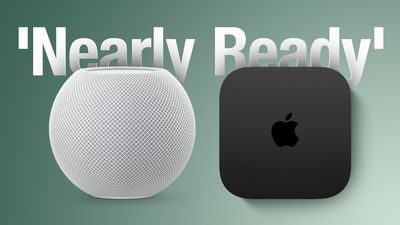
Apple is already believed to have an upgraded Apple TV and a new HomePod mini coming up. Gurman said in July that both were nearly ready, with faster chips for Siri AI but no major design changes. Rumors indicate an A17 Pro chip or better in the new Apple TV, and an S9-series chip, improved sound, and a red finish for the HomePod mini, the current version of which is now over 2,000 days old.
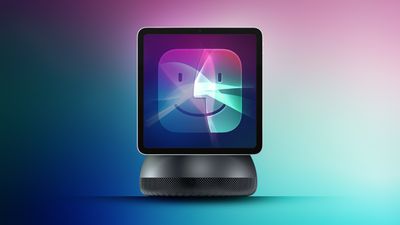
All of that being said, Gurman says the scale of the retail changes suggests prep-work for the launch of its long-awaited home hub with a display (aka the rumored HomePod with Display or "HomePad").
Gurman reported last month that the smart home hub will arrive at some point between October and early next year. It's expected to have a 7-inch square display, and will be sold with either a tabletop base or a wall mount. There's also said to be an all-new operating system built around tvOS with Siri AI powering the device.
Code strings uncovered in macOS Tahoe 26.7 last week suggest the home screen will use a Widget Gallery similar to the iPhone's Lock Screen customization options. The code also indicates that the new device's home screen could have many of the same options for icons, widgets, and clock faces, with widgets from a linked iPhone suggested automatically.
Apple will need a dedicated space where customers can see how the hub works, what its purpose is, and how it fits into the wider home setup, Gurman reports.
Apple is readying new iMac models with an upgraded chip and new color options, according to Bloomberg's Mark Gurman.
Writing in his latest Power On newsletter, Gurman says the new version is likely to be an updated 24-inch model with an M6 chip, replacing the existing M4 model that arrived in October 2024.
New colors are also said to be on the menu, though Gurman does not say what they are. The current iMac comes in seven colors, including green, yellow, orange, pink, purple, blue, and silver.
Otherwise, no major design changes are expected. Apple is reportedly developing a 24-inch iMac with an OLED display, but this won't arrive for several years.
"All signs point to the M6 models being close to launch," says Gurman, with the new models expected to arrive before the end of the year.
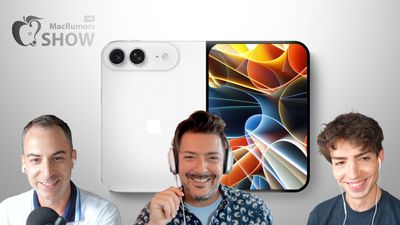
Apple's upcoming foldable iPhone Ultra is winning over the few people who have had hands-on time with the device, though the camera setup may leave some users wanting, according to Bloomberg's Mark Gurman.
Writing in his latest Power On newsletter, Gurman says people who have used the device – which is reportedly referred to internally as the iPhone Ultra – like how it fits in your pocket, as well as the feel and durability of its hinge mechanism. Testers have also apparently praised the new iPad-like app layouts that take advantage of the larger internal display when the phone is unfolded.
Beyond productivity, video, and gaming, Gurman says Apple's foldable device also performs well as a camera viewfinder. However, the device lacks a telephoto lens, which could cost Apple some sales given the expected price. The device is expected to feature a dual-lens rear camera system built around a 48-megapixel main lens paired with an ultra-wide lens.
The foldable is also expected to fall back on Touch ID integrated into the side button instead of in-display Face ID – a compromise Apple has reportedly made to keep it around 4.5mm thick when unfolded. But like Gurman says, some users may prefer this traditional biometric setup. Like Samsung's recently released Z Fold 8, the iPhone Ultra is said have a 5.5-inch outer display and a roughly 7.8-inch inner display when opened, making for a wide book-style design.
Apple's first foldable is set to be unveiled alongside the iPhone 18 Pro and iPhone 18 Pro Max at a launch event on or around September 9. Reports suggest the device could start at $2,000 and even climb past $2,500 for higher storage tiers.
This week, Best Buy kicked off its big 60th anniversary sale that includes great deals on AirPods, TVs, computers, and much more. Alongside this event, we're tracking solid markdowns on portable power stations from Anker and Jackery, plus the best prices of the summer on M4 iPad Air.
Note: MacRumors is an affiliate partner with some of these vendors. When you click a link and make a purchase, we may receive a small payment, which helps us keep the site running.
Best Buy Anniversary
What's the deal? Save sitewide during Best Buy's 60th Anniversary Sale
Best Buy is hosting its big 60th Anniversary sale this week, with notable markdowns on Apple devices, TVs, headphones, monitors, and much more. This event is set to last for the rest of this week, and you don't need to be a My Best Buy Plus or Total member to see most of the deals.
Portable Power Stations
What's the deal? Take up to $1,500 off Anker and Jackery portable power stations
Anker and Jackery have introduced big discounts across their most popular portable power stations this week, including up to $1,500 off select models from each company. We're tracking Anker's best deals over at Amazon, while Jackery's discounts can be found on the retailer's own website.
AirPods
What's the deal? Take $120 off AirPods Max 2, $59 off AirPods Pro 3, and more
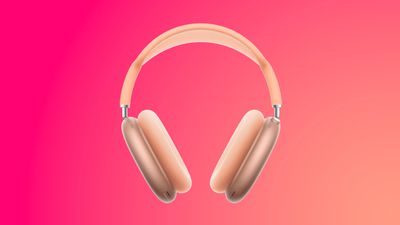
Amazon this week had a big collection of discounts across the AirPods lineup, highlighted by the AirPods Max 2 for $429.00, down from $549.00. This is now the best price we've seen on the AirPods Max 2 since Prime Day, and one of the overall best prices we've tracked so far in 2026, and it's accompanied by a solid deal on the AirPods Pro 3.
Amazon and Best Buy this week have multiple discounts on the M4 iPad Air, providing $100 off these 2026 models. These are the best prices we've seen in the wake of Apple's summer price hikes.
Apple's AirTag 2 is on sale for $89.00 this week on Amazon, down from $99.00. This deal is on the 4-Pack of the AirTag 2, and it's a match of the record low price first seen during Prime Day.
If you're on the hunt for more discounts, be sure to visit our Apple Deals roundup where we recap the best Apple-related bargains of the past week.
Deals Newsletter
Interested in hearing more about the best deals you can find in 2026? Sign up for our Deals Newsletter and we'll keep you updated so you don't miss the biggest deals of the season!
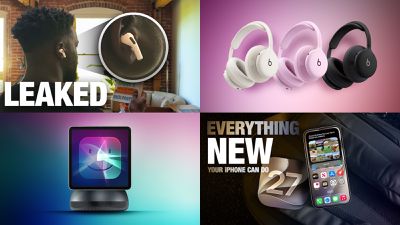
It was a big week for leaks in the Apple world, with Apple itself revealing information on a bunch of upcoming products within a macOS Tahoe 26.7 build and retailers leaking details on new Beats 360 headphones that could be launching soon.
In addition to all of the scoops from Apple's leaks, we also took a look at 30 new things you'll be able to do with iOS 27 when it drops next month (or sooner if you're willing to try the beta), so read on below for all of the details!
Top Stories
Apple's Camera-Equipped AirPods Confirmed: See Them in Action
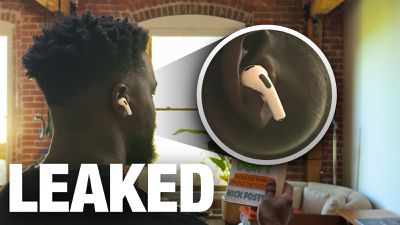
In a short demo, a man holds a book up so the camera in the AirPods can see the title. "With Visual Intelligence, your world becomes savable. See something you like? Just ask me to save it for later," says the voiceover text.
The new Apple TV should come with an A17 Pro chip or newer, and it appears it will support Siri AI. The box should also come with increased RAM for the Siri AI capabilities, and it's likely to feature Apple's N1 wireless networking chip.
Apple's Home Hub Will Have a Widget Gallery With iPhone Widget Support
One of the more intriguing products leaked in macOS Tahoe 26.7 is the long-rumored home hub device, and code from the update indicates that the device will feature a Widget Gallery to allow users to access content from various apps.
All users in the home will be able to see the widgets installed on the home hub, but content in widgets will only be visible when the primary linked device is in the home for privacy protection. The device will also feature a Smart Stack similar to that found on watchOS, which rotates through a variety of widgets and automatically displays the most relevant one at any given time based on time of day, usage habits, and other criteria.
30 New Things Your iPhone Can Do in iOS 27
Apple will release iOS 27 in September, and despite the company's focus this year on refining its flagship operating system and nixing bugs, there are still many additional features on the way, not least of which is Apple's new context-aware Siri, re-tooled for the generative AI era.
The upcoming Beats 360 headphones will have interchangeable ear cushions and headband cushions with both Performance Knit and UltraPlush materials available, while the headphones will be available in Pink, Black, Cloud, and Sky colors with cushion kits available in additional shades such as Navy and Volt.
Beats 360 will be the first sweat- and water-resistant over-ear headphones from Beats, and they feature 1.75× better noise cancellation than the current Beats Studio Pro.
MacRumors Newsletter
Each week, we publish an email newsletter like this highlighting the top Apple stories, making it a great way to get a bite-sized recap of the week hitting all of the major topics we've covered and tying together related stories for a big-picture view.
The Vision Pro headset was internally called "Reality Pro" for a significant stretch of its development before Apple settled on the name it ultimately shipped with, according to the prototype collector and leaker known as "Kosutami."
In a post on X, Kosutami wrote that the "Apple Vision Pro was originally called Reality Pro" during the early stages of development, pointing to an internal string, "realityprorealityosdev."
The Reality Pro name is not new information. Bloomberg's Mark Gurmanreported in September 2022 that Apple's first headset would likely launch as "Apple Reality Pro." In August 2022, trademark filings for "Reality One," "Reality Pro," and "Reality Processor" surfaced in the United States and several other countries, filed through a shell company called Immersive Health Solutions LLC, a tactic Apple has used before to keep upcoming product names under wraps.
Those filings followed an earlier trademark application for "realityOS" dated December 2021 and filed by another apparent shell company, Realityo Systems LLC, after developers had already spotted realityOS references inside Apple's own software and App Store upload logs. By mid-2023, additional trademark activity surfaced for terms like "xrOS," "xrProOS," "realityproOS," and "realOS."
Apple ultimately unveiled the headset as the Vision Pro at WWDC 2023, seemingly dropping the Reality branding entirely for both the device and its operating system, which shipped as visionOS. The switch came late enough in development that traces of the old naming, like the string Kosutami highlights, persisted in internal builds and software.
Apple reportedly retains trademark rights to "Reality Pro" and "Reality One," which could matter in China, where Huawei holds a ten year license to the Vision Pro trademark until 2031. Gurman said that Apple could fall back on Reality Pro branding in markets where Vision Pro is unavailable as a trademark.
Vision Pro launched in the U.S. in February 2024 at $3,499. Apple this week laid off around 100 members of its Vision Products Group and largely shut down its Vision Pro gaming and immersive video teams. The cuts follow reports that Apple has effectively shelved the product line, having already canceled both a redesigned Vision Pro 2 and the cheaper "Vision Air" as the company's attention shifts to smart glasses instead.
When you're at home or work with regular access to an iPhone charger, you probably don't need to worry much about your iPhone's battery. On days when you're away from home for long stretches, you might want to make some adjustments to extend battery life.
We've rounded up 10 tips that can cut down on battery drain.
1. Turn on Adaptive Power
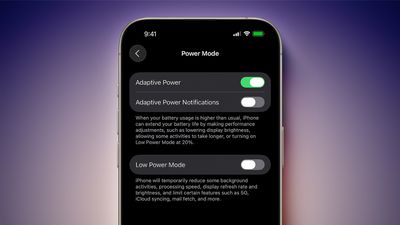
The best way to preserve battery life is to make sure you have Adaptive Power turned on. It's an iOS 26 feature that's available on Apple Intelligence iPhones. It uses on-device intelligence to analyze usage patterns and determine when you might need extra power.
It saves battery by lowering screen brightness a bit, adjusting performance, and limiting background activity. It also turns on Low Power Mode automatically when your battery hits 20 percent.
If you have an iPhone 17, iPhone 17 Pro, iPhone 17 Pro Max, or iPhone Air, Adaptive Power is on by default, but you need to turn it on with other models. Adaptive Power can be activated on eligible iPhones in Settings & Battery & Power Mode.
2. Set Up Automations for Low Power Mode
Turning on Low Power Mode is the most obvious way to extend battery life on your iPhone, and you can automate it so it turns on at a set battery percentage.
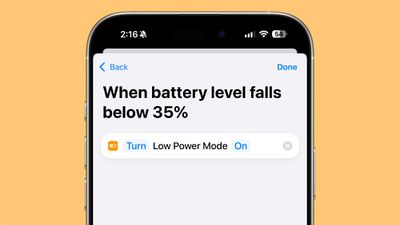
Apple will prompt you to turn on Low Power Mode when your battery is at 20 percent, but it's helpful to turn it on earlier. To set up a Low Power Mode shortcut, open up the Shortcuts app, and create a new Automation. With iOS 27, you can just type in what you want the automation to do, but in iOS 26, search for Battery Level, choose a target battery percentage, then add Low Power Mode as the action to turn on when your battery hits that level.
3. Turn Off the Always-On Display
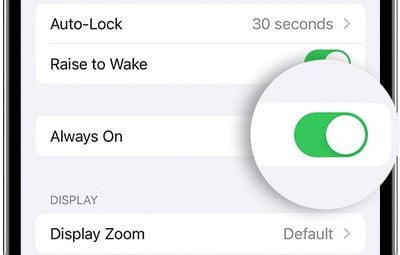
Your iPhone's Always-On Display leaves the time, wallpaper, widgets, and Live Activities visible on the Lock Screen even when your iPhone is locked.
The setting preserves battery by doing things like turning off the display when a connected Apple Watch is no longer nearby (signaling that the iPhone owner is out of the room) or the iPhone is in a pocket, but Always-On Display still drains battery faster than no Always-On Display.
You can turn off the Always-On Display by following these steps:
Open up the Settings app.
Tap on Display & Brightness.
Tap on Always-On Display.
Toggle off Always-On Display.
You can also customize the Always-On Display if you don't want to turn it off entirely. You can disable wallpapers or turn off notifications.
4. Limit Frame Rate
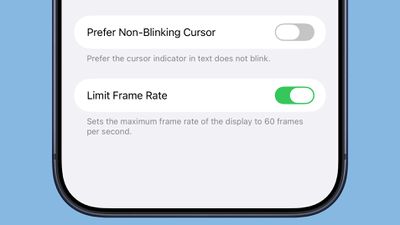
Some iPhones have a 120Hz ProMotion refresh rate, but dropping it down to 60Hz can eke out a bit more battery life. You can adjust frame rate by using an Accessibility setting.
Open up the Accessibility section of the Settings app.
Tap on Motion.
Toggle on Limit Frame Rate.
ProMotion is available on all iPhone 17 models, the iPhone Air, and Pro versions of earlier iPhones dating back to the iPhone 13 Pro.
5. Turn on Dark Mode
On OLED iPhone displays, activating Dark Mode preserves battery life because there's less power draw when darker-colored pixels are displayed. Activating Dark Mode when outside on a sunny day can preserve a good amount of battery life.
Lower levels of brightness in Light Mode use the same battery as higher levels of brightness in Dark Mode, so Dark Mode can save battery even with brightness turned up when you're in a sunny location.
When you're somewhere that has dimmer lighting and screen brightness is lower, turning on Dark Mode won't save as much battery life, but it still draws a little less power.
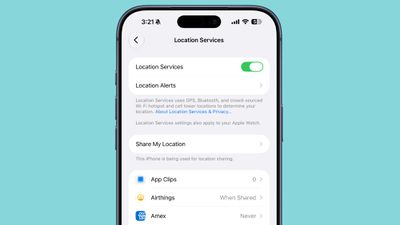
6. Audit Apps With Location Access
It's a good idea to regularly check your privacy and access settings to make sure apps and services aren't doing things you don't want them to be doing.
Limiting the apps that have access to your location and how often apps can access that data can save battery life.
Open up the Settings app.
Choose Privacy & Security.
Tap Location Services.
Review the list and edit settings by tapping on the name of each app in the list.
You have four possible choices for location settings for each app, though not all four choices will always be available for every app depending on what it does. You can select the following: Never, Ask Next Time Or When I Share, While Using the App, and Always.
Never will prevent an app from ever accessing your location, and unless there's a real need for an app to know where you are, such as a mapping app, setting location access to Never is the best choice.
Ask Next Time Or When I Share will prompt an app to ask you with a pop-up the next time that it wants your location, so you can temporarily approve it. With this setting, location access is off until expressly allowed via the pop-up.
While Using the App lets an app access your location when the app is open and being actively used. If you close the app or switch over to another app, location access ends.
Always allows an app to have access to your location at all times, regardless of whether it's open or closed. This will cause the most battery drain and should be limited to only the apps that you need the most.
Many apps that don't need location information will ask for your location information. A banking app may want location access to show nearby ATMs, and a social media app like Facebook may want to serve you location-based features. Clearing the cruft will ensure no apps are accessing your location without express permission, and it'll save battery life at the same time.
You can also turn off Location Services entirely, but it's not ideal because it can impact apps you rely on, like Maps.
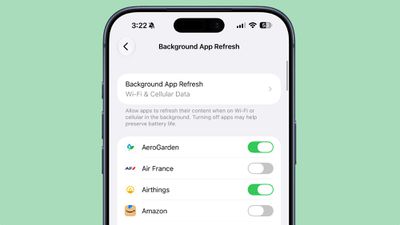
7. Rein in Background App Refresh
Most apps use background refresh to update even when they're not open. Limiting background activity to just the apps that need it is a classic way to cut down on battery usage. It's also another one of the privacy-related options that's just good to check regularly.
You can turn off Background App Refresh entirely or choose which apps can refresh in the background.
Open the Settings app.
Select General.
Tap on Background App Refresh.
From there, you can tap on the Background App Refresh option to turn it off altogether or choose to have it activate only when connected to Wi-Fi, which doesn't drain battery as much as downloading over cellular.
8. Limit Live Activities and Notifications
Incoming notifications wake your screen, and Live Activities keep the Lock Screen updated constantly. Limiting the apps that can send you notifications and Live Activities saves battery life.
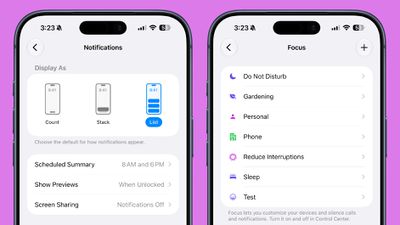
Under Settings & Notifications, go through the list and turn off notifications for apps you don't need to hear from. After that, you can further refine with Focus modes. Focus modes let you choose which apps and people can send you notifications and when.
Open the Settings app.
Scroll down to Focus and tap it.
Tap on the "+" button.
Follow the instructions to choose a Focus mode and the apps you want to use with it.
During work hours, you can make sure you're only getting work notifications, and during personal time, you can limit work notifications. You can set up Focus modes for all kinds of situations, from driving to workouts to sleep.
You'll still get all of your notifications, but silently. Turning off unwanted notifications from apps is still the best method for saving battery life, but Focus lets you keep your notifications while still cutting down on the number that you receive at any given time.
Scheduled Summary is another way to limit your notifications because you can have non-urgent alerts sent at a scheduled time.
You can toggle on Scheduled Summary for apps in the Notifications section of the Settings app, where you can choose which apps should have their notifications included in Scheduled Summary and when you want them delivered.
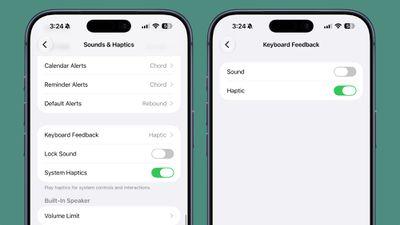
9. Turn Off Keyboard Haptics
Haptic feedback on the iPhone's keyboard is satisfying to feel when you tap on the on-screen keys, but it can drain your battery.
You can turn it off by going to Settings & Sounds & Haptics & Keyboard Feedback and toggling off Haptic.
10. Monitor Your Battery Usage and Adjust
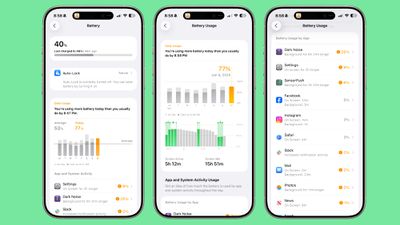
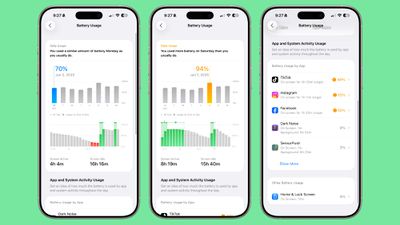
In iOS 26, Apple made it easier to see which of your apps are draining the most battery.
The top of the Battery interface has an overview of your current battery level and the time that you last charged. If your iPhone is charging, it also lets you know how much time you have left until the battery is full.
There is a weekly view of average battery use along with how much battery you're currently using compared to your typical average. The comparison tells you if you're using more, the same, or less battery life than you do on most days.
It shows which apps used more battery and by how much, which makes it easier to tell what's draining your battery. It also displays why an app used more battery, such as background app refresh or an excessive number of notifications.
Apps draining a lot of battery are shown in orange so they stand out, and that's where it's best to make adjustments.
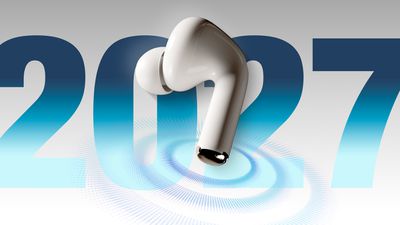
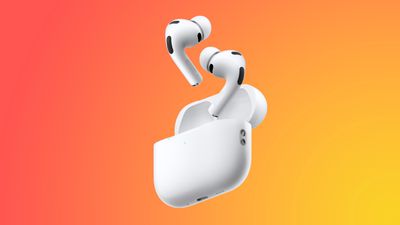
Apple is working on AirPods that have cameras for feeding data to Siri. The new earbuds will be Apple's first AI wearable, and they're expected to launch sometime in 2027.
Leaked Video
Apple accidentally left a demo video featuring its rumored camera-equipped AirPods in macOS Tahoe 26.7 in mid-August. In the demo, a man holds up a book so the cameras in the AirPods can see the title. "With Visual Intelligence, your world becomes savable. See something you like? Just ask me to save it for later," says the voiceover.
Here is your first look at AirPods with Cameras in action using Visual Intelligence.
The cameras on the AirPods will feed information to Visual Intelligence, and Siri will be able to answer questions about the wearer's surroundings and log information. There is a direct reference to setting up Visual Intelligence on the AirPods.
If hair is covering the AirPods up, you'll receive an alert. "To get the most accurate information about things in your environment, make sure AirPods are not covered," it says.
Two Versions
Rumors about camera-equipped AirPods have been a little confusing. Most of the rumors about the AirPods with cameras were about a product with the codename B798. In June, Gurman said the camera AirPods had been delayed because of issues with Siri AI, and would not launch until September 2027 alongside the 20th anniversary iPhone.
In early August, Gurman revised his launch timing and said Apple was close to debuting camera AirPods with the codename B790. The B790 AirPods had apparently been progressing alongside the B798 model, and Gurman said the company "famously creates competing versions of the same product internally," with B790 closer to launch than B798. Then in mid-August, multiple references to the B790 version were spotted in macOS Tahoe 26.7. After B790 was discovered, Gurman claimed the AirPods were no longer on Apple's release schedule, and Apple has no plans to release camera-equipped AirPods before 2027.
Gurman said B790 is a version of the AirPods Pro 3 with cameras, while B798 is a future AirPods Pro model with cameras.
Design
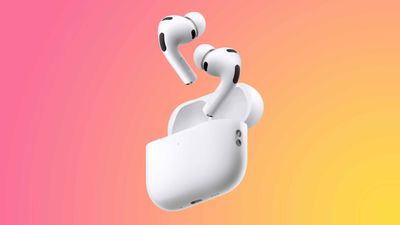
The AirPods will look similar to the current AirPods Pro 3, but with cameras embedded in the stem. Apple may include a light that will come on when visual data from the AirPods is being sent to the cloud. The LED will let people around the wearer know the cameras are in use.
Size, design, and fit are expected to remain largely the same for the earbuds and the charging case, with the exception of the changes to the stem.
Features
The cameras in the AirPods will be used for sending data about the wearer's surroundings to Siri, giving Siri more information about where the user is and what's nearby.
Siri will be able to answer questions about objects or whatever the wearer happens to be looking at. The camera-equipped AirPods could be useful for more exact turn-by-turn directions when walking, contextual reminders, 3D mapping, and more.
The iPhone already has Visual Intelligence, which uses AI to identify plants, animals, landmarks, art, books, and more. Camera-equipped AirPods will be able to supply data for Visual Intelligence without the need to use the Camera app.
H3 Chip
Apple is working on an upgraded H3 chip and it could make its first appearance in the camera-equipped AirPods. The H3 chip is expected to bring latency improvements and better audio quality.
Two cameras - There are individual camera sensors in both the left and right earbuds.
Paired color images - The cameras take synchronized RGB still images of up to 1 megapixel, each with the same frame ID. The cameras give Visual Intelligence a look at the same scene from two angles.
No video - The cameras can take a series of pictures for Visual Intelligence, but there is no video recording option.
Resolution - There's an "active" mode that's likely triggered when the wearer activates Siri where the AirPods capture a 640x640 image. In a separate passive mode, they capture a 320x320 image. The sensors are capable of higher-quality images, but Apple appears to be capturing a specific image size.
Passive image capture - Passive capture mode appears to be for background environmental awareness, triggered by nearby speech, audio changes, posture changes, head rotation, and more.
Head movement - The cameras in the AirPods have distortion correction to account for head movement, and can reject images that have excessive movement.
On-device processing - Some content is processed directly on the AirPods, such as person detection.
Indicator lights - Code suggests the AirPods have a hardware indicator light to let people know when still images are being captured.
Naming
There were rumors suggesting the new AirPods could be called the "AirPods Ultra" instead of the AirPods Pro, but the macOS Tahoe 26.7 file we found that references the new AirPods is labeled "AirPods Pro" and not AirPods Ultra. It's possible that's a placeholder name, so AirPods Ultra isn't entirely out of the question. Apple may have also planned to use AirPods Pro for a version of the camera-equipped AirPods that won't ultimately make it to release.
Bloomberg's Mark Gurmansaid in March that Apple was considering several devices with the Ultra name, including the foldable iPhone Ultra, AirPods Ultra, and an OLEDMacBook Ultra, but that may or may not be a term we see for the new AirPods.
Pricing
Pricing is unconfirmed, but the current AirPods Pro 3 sell for $249. Camera hardware could make the new version more expensive.
Compatibility
Since the AirPods will feed data to Siri, an iPhone that supports Apple Intelligence will be required to use the features. Apple Intelligence is available on the iPhone 15 Pro and later.
Release Date
Despite showing up in macOS Tahoe 26.7, the camera-equipped AirPods aren't going to come out until 2027. They'll likely launch alongside the 20th-anniversary iPhone in September.
Apple's upcoming Beats 360 headphones have been submitted to a regulatory database in the United Arab Emirates, according to a filing viewed by MacRumors. The filing mentions both the name Beats 360 and the model number A3577.
To learn more about the Beats 360, read our previous coverage. The headphones have also appeared in U.S. and Brazilian regulatory databases, teaser photos, and retail listings, suggesting that Apple will release them soon.
Apple's first foldable iPhone, with a book-style design featuring a ~5.5-inch outer display and a ~7.8-inch inner display with a minimal crease down the middle.













 15 years ago today, Tim Cook was appointed Apple CEO following Steve Jobs' resignation on August 24, 2011. On September 1, Cook will step down and incoming CEO John Ternus will